
720P
1 paid 720P credit: unlock an existing preview OR create one new 30-second video. No subscription.
USD 9.90
One-time purchase · USD
1 video generation(s)
- Two photo inputs
- Landscape video
- MP4 download
Turn two photos into a 30-second white-studio duet with music. Generate once free at 720P and preview 5 seconds; payment is required for full playback and MP4 download. 1080P uses paid credits.
Reference photos
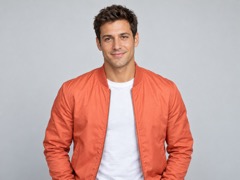 Keyboard player
 Studio partner
AI-created references used for this example
Reference photos
Keyboard player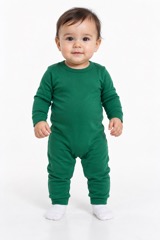 Studio partner
AI-created references used for this example
Reference photos
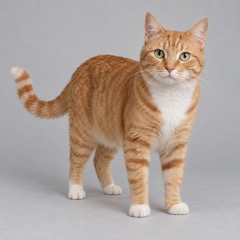 Keyboard player
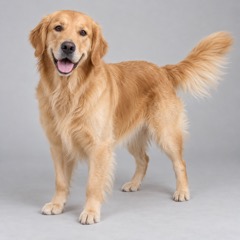 Studio partner
AI-created references used for this example
Swipe to watch all 3 examples.
Real generated examples · 30 seconds each · AI can change faces, proportions, paws or hands across shots.
The studio
Choose one clear photo for the subject at the keyboard.
Choose a separate photo for the performer beside them.
You can select your photos while we check availability. Photos stay in your browser until you confirm permission and submit.
Free 5-second preview · Pay for full video
Photos upload only after sign-in, permission and submission, including free tasks. Your result stays private in your account. Free playback is limited to a separate 5-second file; full playback and download require a paid unlock. Contact support for deletion; no fixed automatic deletion period is promised.
Your report is saved privately in support. Sign in to send. Do not share card details; a report does not confirm payment.
Need a reply? Open supportVideo credit packages
One-time payment. 30-second videos with music and MP4 download.
Loading payment options…
1 paid 720P credit: unlock an existing preview OR create one new 30-second video. No subscription.
USD 9.90
One-time purchase · USD
1 video generation(s)
1 credit for one new 30-second 1080P video. Does not unlock or upgrade an existing 720P preview.
USD 14.90
One-time purchase · USD
1 video generation(s)
One 720P credit and one 1080P credit. Use the 720P credit for an existing preview OR a new video. No subscription.
USD 22.90
One-time purchase · USD
2 video generation(s)
720P: one 720P credit; 1080P: one 1080P credit; Duo: one of each. Use a 720P credit to unlock an existing free preview, or use a matching credit for a new full video. A 720P preview does not become 1080P after payment.
You can replay the first 5 seconds free. Full playback and MP4 download stay locked until you use a paid 720P credit.
Purchased credits do not expire. A credit either generates one full video or unlocks one existing free preview of the matching resolution; not both. New renders and redos use another credit. Free attempts are not refundable credits. Cash refunds are reviewed separately.
The site does not add its own logo or watermark to the MP4. Generated visual artifacts may still occur; this is not a promise of a flawless image.
Read the photo-to-video guide720P: one 720P credit; 1080P: one 1080P credit; Duo: one of each. Use a 720P credit to unlock an existing free preview, or use a matching credit for a new full video. A 720P preview does not become 1080P after payment.
Credits are added to your account after payment is confirmed.
Behind the dance
Alors on Danse AI at alorsondanseai.pro creates a two-person studio performance from separate portraits. The keyboard player and partner are recast into the preset video, using its actions and camera sequence. It is a video workflow rather than a slideshow of the two photographs.
The name refers to the “Alors on danse” studio dance meme. This is an independent tool, not an official Stromae app. Other websites with similar names are separate services.
The three videos above are actual generated examples using fictional subjects. They show the preset scene and soundtrack, not a preview made from your photos.
A clear path from two photos to your own video task. Service availability and credit cost are shown before submission.
Use clear photos of yourself and someone who has given permission. Keep one subject easy to see in each image and avoid crowded backgrounds.
Sign in for one free 720P attempt, subject to account, network and daily availability. Preview 5 seconds, then choose whether to pay for the full video and download. Existing paid credits can generate full videos directly.
Confirm photo permission and submit once. Follow the task in your account history, then review both faces and movements before downloading or sharing.
Use one clearly visible subject in each image with even light. Include shoulders or the upper body for people and a clear body outline for pets. Avoid crowded images, strong filters and cropped faces. The two subjects do not need matching backgrounds.
Watch every close-up and camera cut before sharing. AI may alter faces, body size, hands, paws or clothing; animal anatomy is especially challenging.
Use this ready-made template for the white-studio keyboard-and-partner performance. The service assembles the shots and soundtrack from two separate photos, so you do not need to write prompts, stitch clips or add music. Faces and movement can vary.
You can choose the portraits, swap their roles, and select 720P or 1080P before generating. Custom choreography, song uploads, vertical output and long videos are not current controls. For those needs, choose a tool that offers them.
Sign in for one free 720P attempt, subject to account, network and daily availability. Preview 5 seconds, then choose whether to pay for the full video and download. Existing paid credits can generate full videos directly.
A few things to know before you step into the studio.
Sign in for one free 720P attempt, subject to account, network and daily availability. Preview 5 seconds, then choose whether to pay for the full video and download. Existing paid credits can generate full videos directly.
Use one clearly visible subject per photo, with even lighting and an unobstructed face. People and pets can be used; pet anatomy and body proportions may be imperfect. JPG, PNG and WebP are supported up to 50 MiB each. Only use photos you have permission to process.
Videos use a landscape recording-studio scene, with a duration of about 30 seconds at 720P or 1080P. Portrait generation is not currently available. Generated appearances, movements and timing may vary.
Sign in for one free 720P generation and watch the first 5 seconds. Pay to unlock the full 30-second video and MP4 download. Limited to 3 free tasks per day across the site and one per network per day; failed attempts count.
The finished video includes the preset reference soundtrack. Custom music uploads are not available. Listen to the examples before buying; buying credits does not grant music, image or likeness rights.
No. This is an independent creative project inspired by a dance trend. It is not endorsed by Stromae, a music label, or any social platform. For questions about the product, contact support@alorsondanseai.pro.
Photos upload only after sign-in, permission and submission, including free tasks. Your result stays private in your account. Free playback is limited to a separate 5-second file; full playback and download require a paid unlock. Contact support for deletion; no fixed automatic deletion period is promised.
No paid credit was charged for this free task. It still uses your one free attempt. The service attempts to return credits for a task marked failed. A task shows whether the credit return is confirmed; check your credit records if it is pending. If provider acceptance is uncertain, do not resubmit a new task—check history or contact support. A credit return is not a cash refund.
Purchased credits do not expire. A credit either generates one full video or unlocks one existing free preview of the matching resolution; not both. New renders and redos use another credit. Free attempts are not refundable credits. Cash refunds are reviewed separately.
Your recording studio
Choose two photos, check availability, and make the studio scene your own. You can return to your history to follow a submitted task.